What is an AI prompt enhancer? A complete guide.
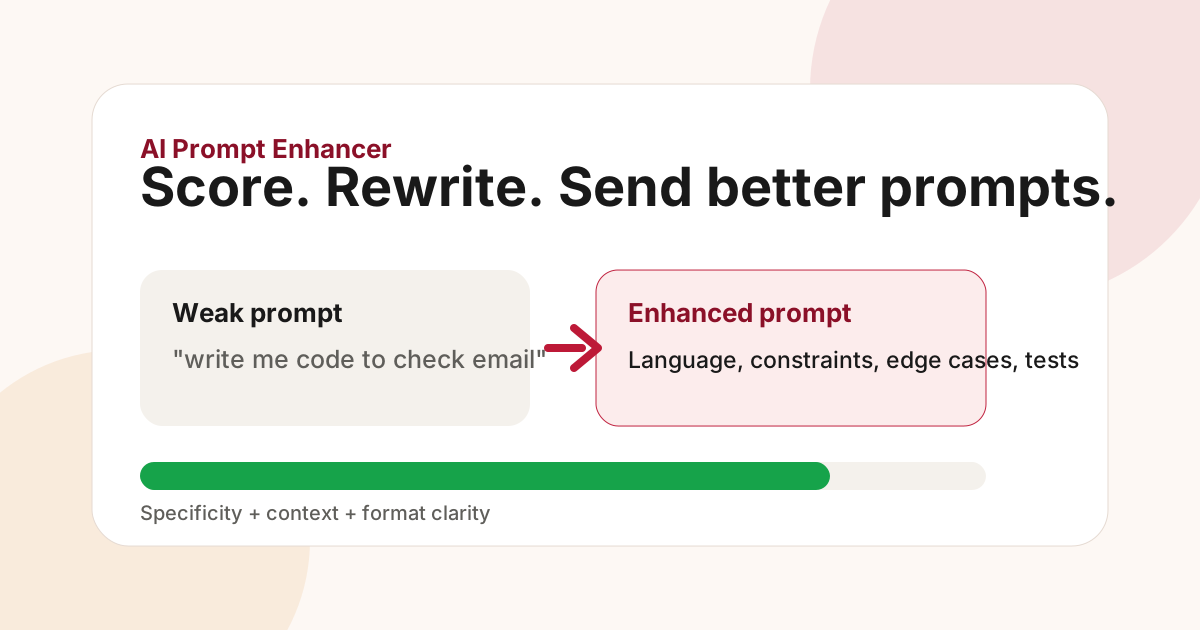
What an AI prompt enhancer actually does
An AI prompt enhancer is a tool that improves the prompt you are about to send to an AI model. Instead of giving you a static prompt template, it reads your draft, checks whether the request is clear enough, and rewrites weak parts so the model has a better chance of answering well on the first try.
That matters because most bad AI answers start with under-specified prompts. "Write an email" can mean a sales email, onboarding email, support reply, or investor update. "Fix this code" can mean explain the bug, patch the function, add tests, or rewrite the architecture. A prompt enhancer turns that vague intent into a more complete instruction before you spend tokens and time on a generic response.
Most useful prompt enhancers follow a simple loop:
- Analyse the task, audience, constraints, and desired output.
- Score the prompt against quality signals such as specificity, context, and format clarity.
- Rewrite the prompt while preserving your original intent.
- Explain what changed so you learn better prompting habits over time.
AI Prompt Fixer is built around that loop. It is a free AI prompt enhancer for ChatGPT, Claude, Gemini, Perplexity, VS Code and Cursor. The browser extension runs next to the chat box, and the IDE extension brings the same prompt coaching into developer workflows.
Prompt enhancer vs prompt generator
A prompt generator usually starts from a blank form. You pick a use case, fill in fields, and receive a finished prompt. That is useful when you know exactly which template you need.
A prompt enhancer starts from your own words. You type naturally, then the enhancer improves the prompt in place. This is better for day-to-day work because real prompts are messy. You might be in the middle of a ChatGPT thread, asking Claude to revise a previous answer, or asking Cursor to edit code that already exists in your project. In those cases, a rigid template often loses the context that made the request meaningful.
The best workflow uses both ideas. Templates help you begin; prompt enhancement helps you finish with a clear, model-ready instruction.
What makes a prompt stronger?
Prompt quality usually improves when three things become explicit.
Specificity tells the model exactly what to do. A stronger prompt names the role, task, audience, constraints, and success criteria. Instead of "summarize this," say "summarize this release note for a technical founder in five bullets, keeping risks and migration steps separate."
Context gives the model the facts it needs. This can include previous messages, code snippets, product details, customer segment, data assumptions, or the reason you are asking. Without context, the model fills gaps with guesses.
Format clarity defines the shape of the answer. Ask for a table, checklist, JSON object, code patch, test plan, or concise paragraph when that format matters. This reduces follow-up messages and makes the answer easier to use.
AI Prompt Fixer scores these dimensions from 1 to 5. A low score means the model may need to guess. A high score means the request is clear enough to produce a useful first answer.
Example: weak prompt to stronger prompt
Weak prompt:
"write me code to check an email"
Improved prompt:
"Write a TypeScript function validateEmail(input: string): boolean that trims whitespace, returns false for empty strings, validates common email formats, and includes a small table of test cases for valid and invalid inputs."
The improved version names the language, function signature, edge cases, and output expectation. The model no longer has to infer whether you wanted JavaScript, Python, a regex explanation, a React form validator, or a full package.
Why context-aware prompt enhancement matters
Many prompt tools only inspect the last sentence you typed. That works for standalone prompts, but it breaks down inside real conversations. If you ask "make it shorter" after a long answer, the phrase is meaningless without the previous message. A context-aware AI prompt enhancer can read the recent thread and rewrite the follow-up as a complete instruction.
For example, "make it shorter" can become:
"Rewrite the previous onboarding email as a three-sentence welcome message. Keep the friendly tone, keep the quick-start link, and remove the upgrade CTA."
That is the difference between improving words and improving intent. The first only edits text. The second understands what the prompt is trying to accomplish.
Who should use an AI prompt enhancer?
Prompt enhancers are useful for anyone who asks AI tools to produce work they will reuse: developers, marketers, founders, analysts, support teams, students, and creators.
Developers can use a prompt enhancer to specify language, framework, file constraints, testing expectations, and output format. Writers can define audience, tone, length, and call to action. Operators can ask for structured analysis, decision criteria, or implementation steps. Students can turn vague study questions into focused explanations without asking the model to do the thinking for them.
The tool is especially valuable when you use several AI platforms. A clear prompt transfers well across ChatGPT, Claude, Gemini and Perplexity. Better prompts also work inside AI coding tools like Cursor because the same rules apply: describe the goal, provide the relevant context, and define the expected change.
How to choose a prompt enhancer
Look for five things when choosing an AI prompt enhancer.
First, it should work where you already type. Copying every prompt into a separate website creates friction, so browser and IDE integrations matter.
Second, it should explain quality, not just rewrite. Scores and tips help you learn, while one-click rewrites only solve the current prompt.
Third, it should preserve your intent. A good enhancer makes your request clearer without changing the task.
Fourth, it should support context-aware follow-ups. Modern AI work happens in threads, not isolated prompts.
Fifth, it should be clear about privacy. If a prompt contains source code, customer context, or internal plans, you need to know what is sent, what is stored, and what remains local.
Try it in your workflow
You can test AI Prompt Fixer in the live demo or install the browser extension from the extension page. Start with a prompt you would actually send to ChatGPT, Claude, Gemini or Perplexity. If the score is low, read the missing signal, apply the rewrite, and compare the answer quality.
The goal is not to make prompts longer. The goal is to make them complete enough that the model can answer without guessing.